Understanding the difference between SharePoint and intranet solutions
The best of both worlds You don’t have to choose between SharePoint and having a great intrane...
If your organization runs on Microsoft 365, you’ve probably already had the conversation: do we build on SharePoint alone, or do we buy something that sits on top of it?
For most organizations, leaving SharePoint isn’t realistic. The licenses are paid for, the documents already live there, the security model is signed off, and IT has no appetite for another platform to govern. But standard SharePoint on its own rarely gives people the intranet experience they actually want.
That’s the gap SharePoint intranet products fill. This guide covers the main ones on the market in 2026: Fresh, Powell Intranet, Involv, Omnia, Jint and SharePoint out of the box, what each is genuinely good at, and how to work out which fits your organization.
We make one of these products Fresh. Every description here is factual, and the fit guidance is real.
Product |
Vendor |
Built on |
Best suited to |
| Fresh | Advania UK | SharePoint Online (content stays in SharePoint) | Medium to large M365-centric organisations that need content governance, knowledge and search, governed AI, and multi-channel comms including newsletters |
| SharePoint | Microsoft | Native | Smaller organizations, or teams with in-house SharePoint expertise and time to build |
| Powell Intranet | Powell Software | SharePoint Online | Organizations wanting a highly customizable layer with a strong AI agent story |
| Involv | Cognit | SharePoint Online | Organizations wanting a fast, cost-effective rollout without deep SharePoint skills |
| Omnia | Omnia Digital Workplace | SharePoint for storage, own interface | Organizations wanting a fully branded, app-led experience and able to invest in setup |
| Jint (formerly Mozzaik365) | Jint | SharePoint Online | Organizations wanting modular enhancements to the SharePoint experience |
This is worth clearing up, because the category gets muddled and it changes what you should be comparing.
SharePoint intranet products (sometimes called “intranet in a box”) are built directly in SharePoint. Your content, permissions and documents stay inside your Microsoft 365 tenant. The product adds the layer SharePoint doesn’t give you: publishing tools, templates, governance, navigation, enhanced search and stronger design.
Accelerators and web part libraries are lighter. They give you components and design tools to build with, but you’re still doing the building and the ongoing governance yourself.
Standalone SaaS intranets live outside Microsoft 365 entirely. They might integrate with M365, but your content lives in a second system with its own security model, its own search index and its own migration path if you ever leave.
This guide only covers the first group. If you’re weighing up the other two, we’ve written separate guides on intranet accelerators and standalone SaaS intranet platforms.
Before the product list, the criteria. In our experience these are the questions that actually decide whether a project succeeds:
Fresh launched in 2015 and is owned by Advania, an IT services group operating across the UK, Europe and the US.
Fresh is SharePoint-native. Your content, permissions and documents stay in SharePoint and Microsoft 365. Fresh adds the experience layer, the publishing tools and the governance on top. Nothing is copied out to a second platform.
Where it works best: medium to large Microsoft-centric organizations with real content and communications demands. Three things tend to decide it. AI: FreshMind drafts titles, descriptions, translations and metadata for authors, and answers employee questions in natural language from sources admins have deliberately approved, with the references and reasoning shown alongside every answer. Governance: metadata enforced at the point of creation through the content creation wizard, ownership and review dates tracked in central content reports, and bulk updates when a topic or owner changes. So, quality holds up across hundreds of pages, not just the homepage. Multi-channel reach: one editorial calendar covering news, announcements and newsletters, with email built from intranet content rather than rebuilt in a separate tool, Teams push notifications, and analytics on all of it.
Worth knowing: Fresh deliberately uses Microsoft’s own apps for mobile and community, Teams and Viva Engage rather than shipping a separate app. That means one login, one app estate and one set of permissions to govern, which is why it suits desk-based and hybrid organizations. Organizations with large deskless populations may want a dedicated frontline app alongside it.
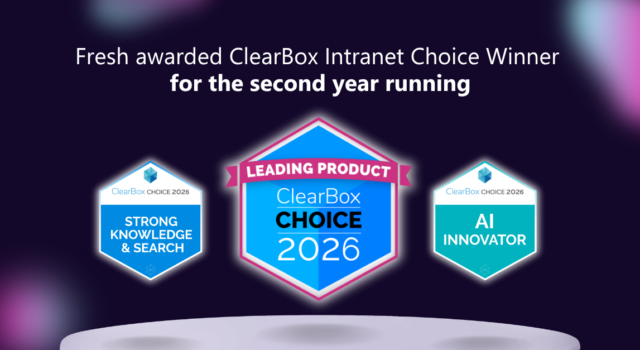
Independent analysts ClearBox reviewed Fresh in their 2026 Intranet and Employee Experience Platforms report and gave it Choice awards for AI innovator and strong knowledge and search.
Organizations like TD Bank, KPMG, DLA Piper, the Metropolitan Police, Forvis Mazars and Brown & Brown run their intranets on Fresh.
The baseline everything else is measured against. Modern SharePoint pages are genuinely good, and additional M365 capabilities (e.g., Engage and Amplify) add a dashboard experience in Teams, communities and multi-channel campaign tooling.
Where it works well: smaller organizations, or those with in-house SharePoint capability and time to invest. If you need a handful of well-run sites, you can get a long way with what you already pay for.
Worth knowing: SharePoint was built as a platform, not a packaged intranet, and there are two things to plan for. “Licensing: the Viva capabilities that pair well with most intranets, such as premium Engage features and Amplify, sit in the Microsoft Viva Employee Communications and Communities add-on rather than standard Microsoft 365, and Copilot authoring is licensed separately again, so “already paid for” deserves checking against your intended feature list. Ownership: once you’re past a small set of sites, the effort shifts to governance, navigation and consistency, and it doesn’t stop at launch. Organisations that don’t resource that tend to end up either building an internal product team, buying a layer on top, or living with a sprawl of sites nobody owns.
Powell Software, based in Paris, layers components onto SharePoint Online covering publishing, editorial management, governance and campaigns.
Where it works well: organizations that want a high degree of design flexibility and are interested in an AI agent story, Powell has invested heavily in AI features including assisted contribution and a studio for building agents into the intranet.
Worth knowing: the flexibility means implementation and ongoing admin usually want Microsoft-savvy resource or a partner alongside you. Worth scoping that properly in your business case.
Involv, from Cognit in Brussels, launched in 2017 and focuses on getting a clean, branded intranet live quickly using a library of prebuilt components.
Where it works well: organizations that want a straightforward rollout at a competitive price point, without deep SharePoint expertise in-house. It’s a strong option if speed to launch and predictable cost matter most.
Worth knowing: integrations beyond Microsoft 365 tend to need configuration work, so if your intranet has to be a front door into ServiceNow, Workday and similar, check that scope early.
Omnia, from Sweden, launched in 2015. It uses SharePoint for content and data storage but presents its own interface, which means the experience for employees, publishers and admins is distinct from SharePoint.
Where it works well: organizations wanting a consistent, heavily targeted experience across desktop and mobile, including via Omnia’s own app, and willing to invest properly in setup and administration.
Worth knowing: the breadth of capability comes with a steeper learning curve for in-house admins, and most implementations run with a partner. Budget the time as well as the licence.
Jint, from a France-based vendor, was released in 2021 and takes a modular approach, extra web parts, a newsletter studio, a translation engine, its own configurator and a mobile app, all designed to stay compatible with Microsoft 365.
Where it works well: organizations that want to enhance the SharePoint experience in specific areas rather than replace the whole thing, and like the idea of only paying for the modules they use.
Worth knowing: Omnia stores content in SharePoint but runs the experience in its own interface, which is a deliberate trade rather than an oversight. In return you get a consistent, heavily branded experience and an app that can reach frontline staff; the cost is that Microsoft’s ongoing investment in SharePoint and Copilot reaches you when Omnia adds support for it rather than when Microsoft ships it. The breadth of capability also brings a steeper learning curve for in-house admins, and most implementations run with a partner, so budget the time as well as the licence.
Feature lists between these products look more similar than they are. In practice, four decisions separate them and they’re the ones you’ll live with for years.
Fresh, Powell, Involv and Jint all keep content, permissions and documents inside SharePoint Online. Omnia uses SharePoint for storage but presents its own interface separately, so the day-to-day experience is separate from SharePoint. Standalone SaaS platforms hold your content in their own system entirely.
This decides your security model, your search index, your compliance position and your exit cost. Fresh sits at the SharePoint-native end of that scale by design: there is no second content store, and nothing to migrate back if your strategy changes.
Powell, Involv, Omnia and Jint each ship their own mobile app. Done well, the strongest argument for one is reach: a separate app can give intranet access to employees who don’t hold a Microsoft 365 licence. For a frontline-heavy organisation that can be the deciding factor on its own.
The catch is that a standalone app only pays off when everything runs smoothly. Authentication and provisioning take careful setting up, you’re managing users and content in a second place, and employees who also use Teams on mobile end up with two intranet experiences to choose between.
Fresh takes the other route and uses Microsoft’s, Teams, SharePoint app in Teams. Fewer apps on the estate, one login, one set of permissions, and no second content model to administer. If your workforce is licensed and desk-based or hybrid, that’s a materially simpler operation. If a large share of your people have no M365 licence at all, a dedicated app earns its keep.
Every product in this list has AI. The meaningful questions are what it’s allowed to read, and whether anyone can see how it reached an answer.
Powell’s AI Studio focuses on building agents and chatbots into the intranet. Jint Genius offers an AI studio of its own. FreshMind takes a deliberately narrower position: it has no access to your content by default. Intranet admins curate the authoritative sources it’s allowed to draw on, influence how those sources are weighted, and turn features on centrally or one at a time. Every answer can show its references and the reasoning steps behind it, and results are trimmed to each person’s existing permissions.
That scoping is the point. Microsoft 365 Copilot reaches across your entire tenant, powerful, but not always what you want when someone asks where the expenses policy is. FreshMind answers from the governed set of sites your comms and knowledge teams actually own, so it complements Copilot rather than competing with it. It runs on Azure OpenAI, your data stays in your tenant, it doesn’t learn from your content, and it’s included in Fresh rather than sold as a separate AI licence.
Two things follow from building on SharePoint rather than beside it. Microsoft’s innovations arrive when Microsoft ships them, not when a vendor gets round to supporting them, Copilot is the obvious example. And through Copilot connectors, content from systems like ServiceNow, Confluence or Salesforce can be brought into scope, so answers can draw on your business systems as well as your intranet.
One question worth putting to every vendor on your shortlist, including us: does the AI change how work actually gets done, or is it there so that AI appears on the feature list?
Publishing a page is the easy part. Getting it seen is where these products diverge most, and each has solved a different piece of it.
Involv and Powell both reach beyond email to digital signage displays, and Involv’s newsletters can be sent to external addresses, useful if you’re communicating with candidates, partners or volunteers. Omnia cross-promotes to Teams, Engage, Slack and email. Jint’s Newsletter Studio, added in late 2025, offers unusually deep layout control, though it sends to internal audiences only. SharePoint on its own can email a news post or a digest, and Viva Amplify adds planned multi-channel campaigns with Copilot’s authoring assistance at additional cost.
Fresh’s newsletter is part of the platform rather than a separate tool. Existing articles, documents and events are curated into a single email with flexible layouts, sent to distribution lists or M365 groups, and measured on opens, click-throughs and audience reach, in the same analytics as everything else. What connects it is the editorial calendar: news, announcements, newsletters and even Viva Amplify campaigns on one schedule, so your comms team plans in one place instead of three. Add Teams push notifications, banners and blocking pop-ups for genuinely urgent messages, and you get a loop that closes: publish, distribute, measure, improve the next one.
Worth being clear about scope: Fresh concentrates on reaching people inside the Microsoft ecosystem. If digital signage on a warehouse floor or a social advocacy programme is central to your comms plan, raise it with us early.
There’s no best product, only the best fit. A rough guide:
And if most of your workforce is frontline, deskless and mobile-only, a SharePoint-based intranet may not be your first move at all. A frontline app might serve them better. We’d rather tell you that now than six months in.

Your content stays where it belongs. Fresh is a SharePoint-native app. Content, permissions and documents stay in SharePoint and Microsoft 365 so there’s one security model, one search index, one compliance story, and no migration debt if your strategy changes. Your Copilot investment works alongside the foundation that Fresh builds, in the same place.

It’s built for people who publish. The editorial calendar, content creation wizard, templating and approvals mean your comms team ships without raising a ticket. Bulk metadata and governance tools mean year three doesn’t become a clean-up project.

Knowledge and search that hold up. Independently recognized by ClearBox in 2026 for strong knowledge and search, and awarded their AI Innovator badge, given to platforms doing something genuinely useful with AI rather than adding it to a feature list.

One message, every channel. The intranet as the front door, Teams for push notifications that reach people on mobile, and email for newsletters, all planned on one editorial calendar, with analytics on opens, click-throughs and reach so you can see what actually landed rather than what was merely published.

AI you can actually govern. No access to your content by default, admin-curated sources, visible reasoning behind every answer, permissions respected automatically, and analytics that show you the questions your content can’t yet answer.
We know SharePoint avoiders and SharePoint advocates are different people. Most intranet projects fail on that gap, not on features. Fresh is designed so the people who never wanted SharePoint don’t have to think about it and the people who love it keep everything they rely on.
For smaller organizations with in-house SharePoint skills, often yes. Beyond a handful of sites, most organizations find the governance, navigation and publishing effort outweighs the license saving of not buying a product.
A SharePoint intranet product keeps your content inside Microsoft 365 and adds an experience layer. A standalone platform stores content in its own system, which means a second security model, a second search index and a migration if you switch.
Your content stays in your own Microsoft 365 tenant, in ordinary SharePoint lists and libraries, under the permissions, retention and DLP policies you already run. Fresh doesn’t create a separate content store, and FreshMind runs on Azure OpenAI within your tenant boundary without training on your content.
Yes. These products extend Microsoft 365 rather than replace it, so your existing licenses still apply.
It varies with content and complexity, but packaged products typically launch in weeks rather than the months a custom build takes. Content migration and information architecture, not the technology, are usually the long poles.
Yes, and that’s an argument for keeping content in SharePoint. Copilot draws on what’s in your tenant, so well-governed, well-tagged intranet content directly improves the answers your people get.
The best of both worlds You don’t have to choose between SharePoint and having a great intrane...