Release Notes – Q2 2026
This Q2 2026 release gives you more creative freedom, better personalization, and smarter tools to b...
Our final release of 2026 is all about one thing: an employee experience that feels engaging, personal, and connected. This release gives organizations more ways to recognize achievements, invite participation, and keep people informed about the moments that matter, alongside governance and personalization that quietly make sure the right content reaches the right people. Let’s get into it.
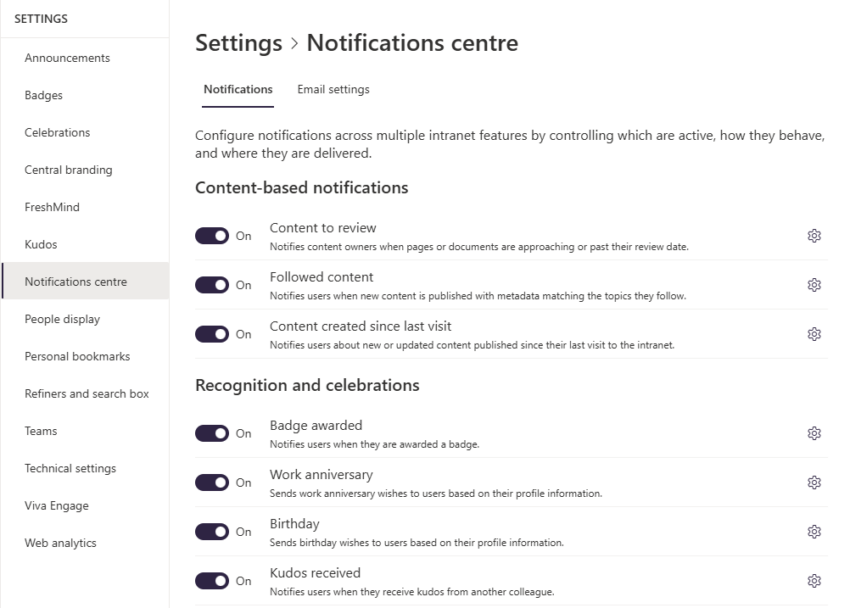
Information can be scattered across too many places, and employees pay the price in noise. Fresh now brings notifications together in one centralized, configurable framework, so the moments, content, and activities that matter reach people wherever they work: in the Notifications App in the global intranet navigation, over email, or in Microsoft Teams.
Admins keep full control over what gets sent and how, with branded email notifications that match your identity. Seven notification types are ready to go from day one, covering everything from content reviews to birthdays, badges, and kudos.
One foundation, built to grow, and already powering much of what follows.
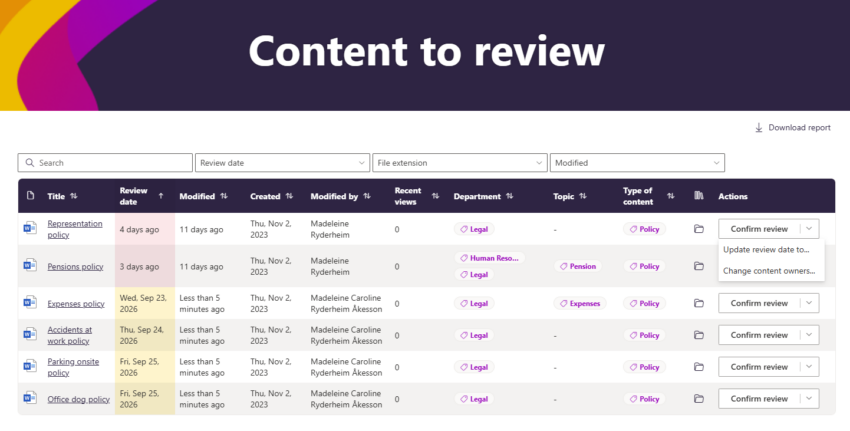
Out-of-date content erodes trust in the whole intranet. Content to Review gives content owners a single place to stay on top of it: see what’s overdue and what’s coming up, then confirm a review, set a new date, or reassign ownership without leaving the page.
It works hand in hand with review notifications, so nothing slips through the cracks. Admins get the same flexible configuration they know from the Content Report web part: column selection, pagination, search, and refinement. Content is flagged for review 15 days ahead by default, adjustable to fit your governance cycle.
Governance that runs quietly in the background, exactly as it should.
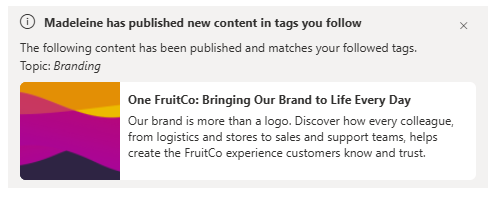
The more relevant the intranet, the more people use it. Employees can now follow and unfollow topics directly from the Topics Explorer, manage everything they follow from the Profile Panel, and surface a piece of content’s tags straight from Page and Document Cards. Like an article, and Follow Tag Suggestions offer up related topics to follow in a single click, with an easy opt-out for anyone who’d rather not.
Followed tags do more than sit in a profile. Pair them with notifications, or use them in web part queries to fill pages with news, documents, and updates matched to what each person actually cares about.
The result: an intranet that gets more personal the more it’s used.
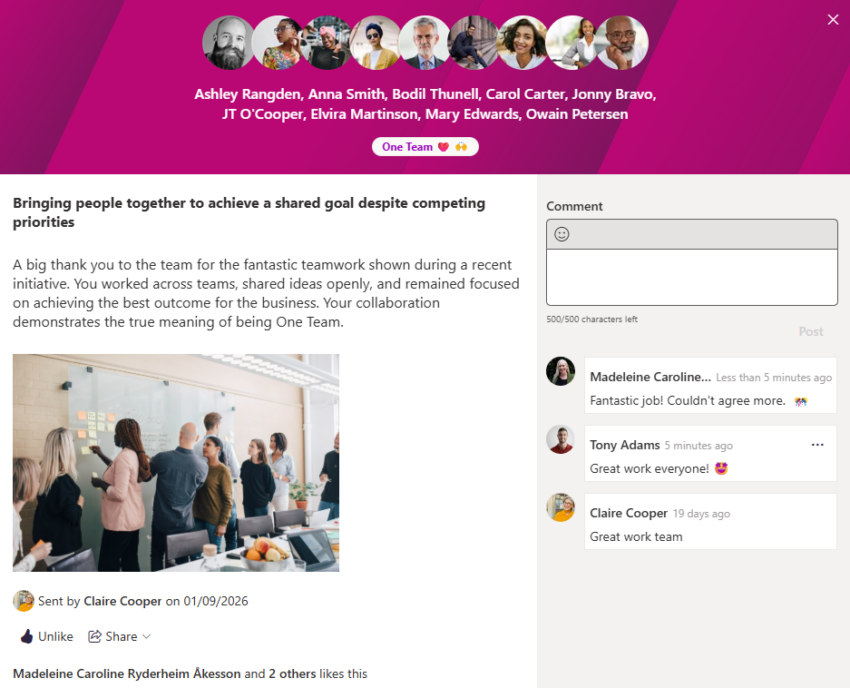
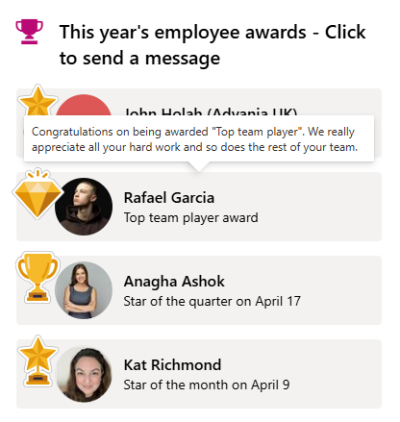
Recognition lands harder when it connects to something bigger. Kudos can now be tied to organizational objectives and categories, linking a simple thank-you to the values and priorities behind it, and colleagues can like and comment, turning one moment of appreciation into a shared one. And with notifications, the people you recognize hear about it right away, wherever they’re working.
There’s a redesigned sending form with categories, images, and icon options, a cleaner author and recipient refiner with search, a dedicated Kudos page for anything shared beyond the pop-up, and illustration options in your own brand colors, all configurable from the Admin Portal.
A dedicated space for appreciation, and a culture that shows it.
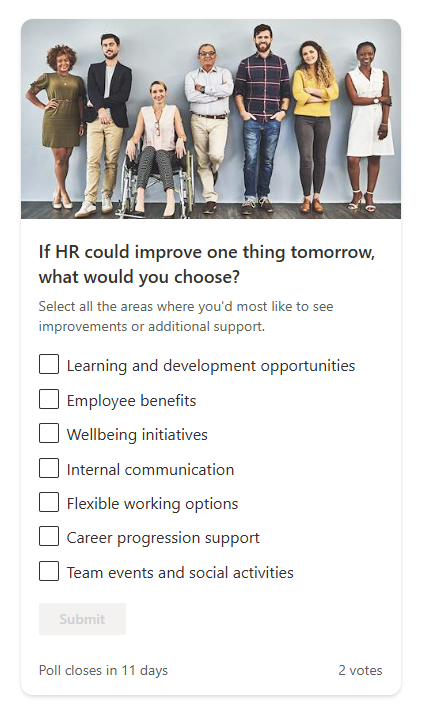
Feedback is most valuable when it’s effortless to give. Polls let intranet owners drop a single-question survey onto any page, with single- or multi-select answers and the option to let people change their vote as opinions evolve.
Schedule polls ahead of time with a countdown to build anticipation, then decide exactly when results appear: after voting closes, the moment someone votes, or at a set time. Target the whole organization or a specific team, with separate permissions for who sees the results.
A quick pulse check or a structured piece of comms, and every employee has an easy way to be heard.
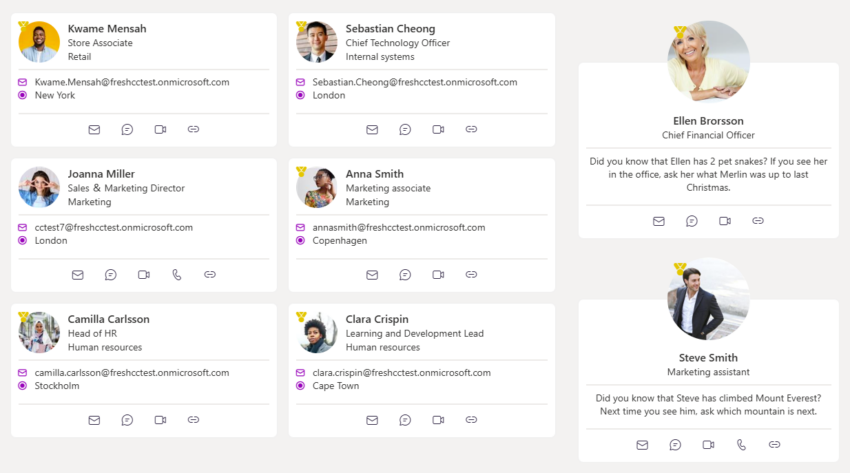
Finding the right person should take seconds. The People Search and Curated People web parts now offer eight display layouts to suit any context, whether you’re spotlighting subject matter experts, welcoming new starters, or introducing a project team. Quick actions let employees message, call, or connect straight from the card, and a larger density option keeps names, titles, and departments clear and untruncated.
For Curated People, custom context can now be added to each person featured, making it obvious why they’re there: a new joiner, a topic owner, a key contact for an initiative.
More ways to help people discover expertise and reach the right colleague.
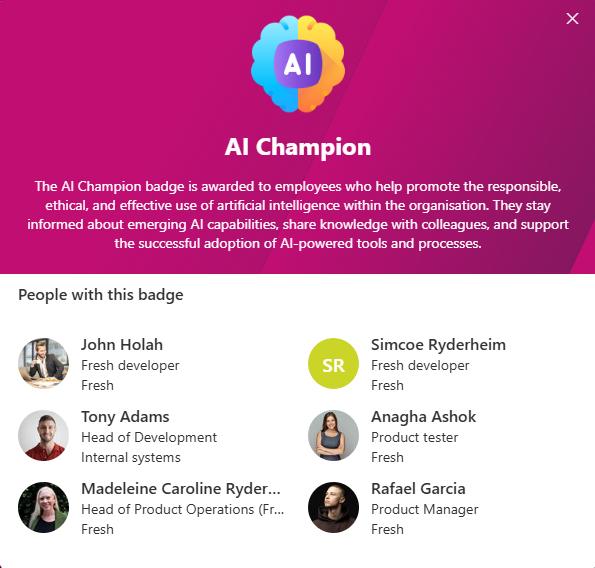
Visible recognition builds culture. Badges give organizations a flexible way to highlight important roles like First Aiders, Fire Wardens, and Subject Matter Experts, and to celebrate milestones like years of service, qualifications, and completed challenges. Manage everything from the Admin Portal, with translations for multilingual organizations and a choice of standard icons or fully custom images, right down to separate visuals for profiles and for the notification that lands the moment someone earns a badge.
Badges also appear in employees’ profile properties, so they surface correctly in People web parts, including the Badges refiner in People Search, with no manual admin.
Skills, responsibilities, and achievements, on show across the intranet.
Marking the moments that matter helps people feel they belong. Choose from a refreshed set of celebration illustrations or bring in your own branded images, and add descriptions to celebration types so the significance behind each milestone is clear. List-driven celebrations now recur annually, so ongoing recognition programs keep running year after year without manual updates.
Meaningful recognition, with less admin behind the scenes.
The knowledge on your intranet is most useful when people can reach it without going looking for it. Next, we’re bringing FreshMind beyond the intranet and into the everyday flow of work, starting with a FreshMind agent in Microsoft 365 Copilot.
Ask about a colleague and their expertise, get sourced answers drawn from your own policies and guidance, explore your connected sources, even find and book a meeting time, all from inside the tools people already use every day. And every answer respects what each person is allowed to see, so the right knowledge reaches the right people and nothing else.
Features and previews shown here are early looks and may change as development progresses.
____
This Q3 2026 release is all about making AI on your intranet transparent, trustworthy, and genuinely useful, backed by feedback and analytics that help it improve every day. If you’re already a Fresh customer, your Customer Success Manager will walk you through the details at your next catch-up.